BEAM AI TAKEOFF AND ESTIMATING SOFTWARE
Takeoff software built to 3X your bid capacity
Get AI workflow flexibility with Beam AI. Get QA-checked, 99%+ accurate takeoffs and estimates across 15+ trades in 24-72 hours, or generate instant AI takeoffs for HVAC, plumbing, and steel.

3X Increase
in bid volume
75%
Time savings

$5M
Added growth
3X Increase in bid volume
75% Time savings
$5M Added growth
1200+ contractors trust our AI takeoff software







AI construction takeoff software that works the way you do
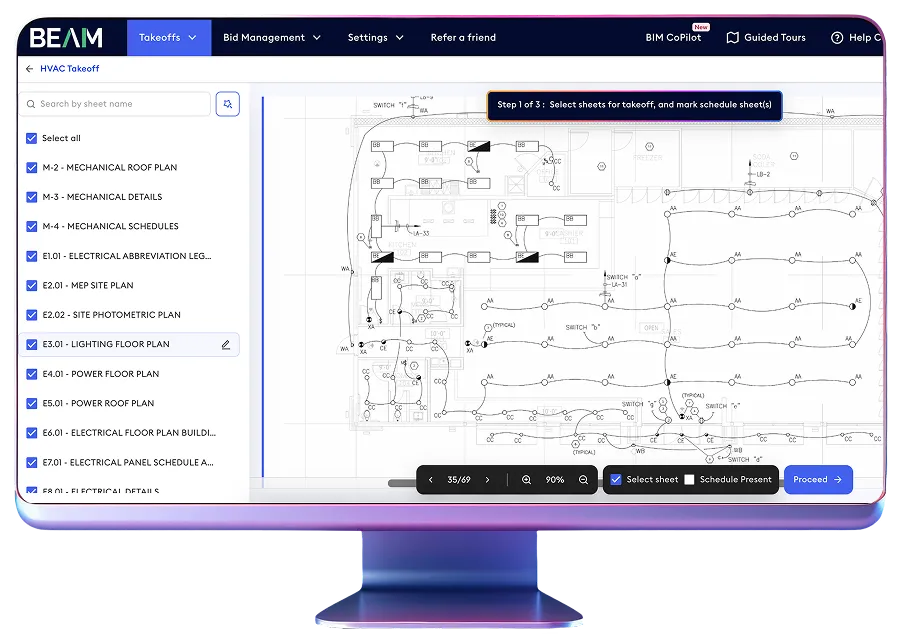
99%+ accurate AI takeoff & estimates in 24-72 hours

Upload PDF plans, specifications, legends, and supporting documents
Confirm required quantities and add project-specific instructions
AI takeoff software extracts quantities, with every takeoff QA-checked before delivery in 24-72 hours
Receive custom estimates aligned with your pricing and workflows
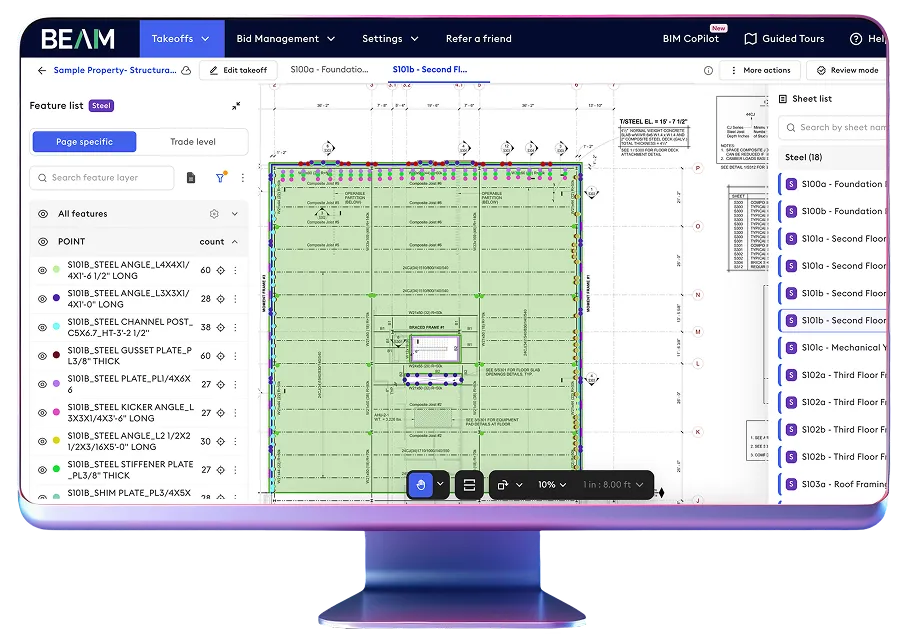
Instant AI takeoffs for HVAC, plumbing & steel
Instant AI takeoffs for faster estimating & budgeting
Validate quantities fast and generate estimates instantly
Increase estimating capacity & cut takeoff time
Capture all key items accurately
Beam AI pricing plan
Beam AI helps your team bid more work, save time on estimating, and scale bid capacity with AI construction takeoffs & estimates.
Do It Yourself
Starts at
$8K
annual license
per trade
Available for HVAC, Plumbing & Steel
Get Started
Do your own takeoffs with AI software
In-platform estimates
Free, unlimited, and on-demand training
Dedicated support team
Done For You
Starts at
$25K
annual
license
Based on trade and volume
Get StartedBid-ready takeoffs, QA-checked & Done For You
Get up to 2 takeoffs processed in parallel
Available for all trades
Do It Yourself software access
In-platform estimates
Bid Management tools
Dedicated support team
Enterprise plan
Talk to us for custom pricing
Get StartedGet more takeoffs processed in parallel
Higher usage limit as per your requirements
Customized takeoff and estimate Excel format
Priority access at high-traffic times
Dedicated support team: In-person & online
Business Impact
Why 1200+ businesses love Beam AI estimating software
See why businesses choose Beam AI takeoff software to save estimating time and increase bid capacity by up to 3X.


“We are now ahead of deadlines and submit more bids while being accurate. We have more time to focus on bigger opportunities & communicate better with our customers.”

Deron Wood
Operations Director
“Beam AI is very easy to use and incredibly user-friendly. It’s saving me 16 hours a week and helping me spend more time out in the field managing jobs.”

Dexter Turner
Account Executive

“Beam AI is a no-brainer. We’re now saving 2 days of work each week, and our bid volume has doubled as we’ve grown from $900K to $2M in just a couple of months!”

Bryan Ramirez
Senior Estimator
“I would absolutely recommend Beam AI. The accuracy is spot on, and the time savings are significant. It's been a game changer for us, truly a beneficial tool for any estimating team.”

Emma Peters
Sr. Preconstruction Manager, Blach Construction
“Beam AI has helped us complete more bids by significantly reducing the time we spend on takeoffs each week.”

Danell Zarrelli
Assistant Project Manager

“Beam AI is helping us save over 15 man-hours/project while ensuring key details aren’t missed. We’re moving faster in budgeting and focusing more on strategic tasks now.”

Christian Long
CPE | Vice President of Preconstruction
“With Beam AI, we've slashed bidding time by days, and the team could send out significantly more bids, increasing our opportunity pipeline.”

Irana Perez
Estimator

Best AI takeoff software in the market
FAQs
What is takeoff software?

Takeoff software helps construction estimators measure and calculate the quantities required for a project from digital plans. It replaces manual measuring and counting with a faster, more organized takeoff workflow.
How does AI takeoff software work?
AI takeoff software reads construction drawings, symbols, notes, legends, and specifications to identify project features and calculate quantities. Beam AI can generate takeoffs for estimator review or complete and QA-check the takeoff through its Done For You workflow.
What makes Beam AI different from other takeoff software?
Beam AI combines Do It Yourself software and Done For You takeoff services in one platform. Teams can generate fast AI takeoffs or receive 99%+ accurate, QA-checked takeoffs and estimates across 15+ trades.
How accurate is Beam AI takeoff software?
Done For You takeoffs deliver 99%+ accuracy and are reviewed by a trained QA team. DIY takeoffs are generated for estimator review and editing within the platform.
Which trades does Beam AI support?
Beam AI supports Done For You takeoffs across 15+ MEP, structural, architectural, and site trades. DIY takeoffs are currently available for HVAC, plumbing, and steel.